Gamers spend a lot of time thinking about GPUs, monitors, consoles, and frame rates. The cable between them is often treated as an afterthought. That is usually fine until a new setup starts acting strangely. Maybe 4K 120Hz will not be enabled. Maybe VRR keeps dropping out. Maybe the image cuts black for a second at the wrong time. Suddenly, the “just a cable” part matters a lot more than it did at checkout.
This comes up even faster in larger setups. For streamers, gaming lounges, and system builders placing bulk HDMI cable orders, consistency matters because weak cables can ruin an otherwise solid setup. A cable does not need to look expensive to work well. It does need to support the signal your gear is actually trying to send.
It Is Not Just About Picture Quality
A lot of people still think HDMI quality is a simple yes-or-no question. Either the image appears or it does not. That view made more sense when 1080p 60Hz was the main target and bandwidth demands were lighter. Gaming pushes harder now.
A modern cable can affect whether your setup actually runs the features you paid for. On a PlayStation 5 or Xbox Series X, 4K 120Hz is part of the appeal. On a newer PC with an RTX 30, 40, or 50 series card, high-refresh-rate gaming over HDMI can be part of the whole point. Add VRR, HDR, and eARC into the mix, and the cable is no longer a passive detail. It is part of the signal path that has to hold up under load.
This is where confusion starts. A weak or mismatched cable usually does not make the image “a little worse.” It more often causes features to disappear, handshake problems to show up, or the display to fall back to safer settings. That is more annoying, because it looks like a settings issue until you realize the cable is the bottleneck.
HDMI Standards Matter More Than Fancy Packaging
Here is the plain version. If your setup is aiming for 4K 120Hz, VRR, or other HDMI 2.1-level features, you should care far more about certification and bandwidth support than about gold plating, oversized plugs, or breathless marketing copy.
Premium High-Speed HDMI cables are designed to support up to 18 Gbps, which fits 4K 60Hz use cases well. Ultra High Speed HDMI cables support up to 48Gbps and are the safer fit for 4K 120Hz, HDMI 2.1 gaming, VRR, and eARC. HDMI.org now also documents newer Ultra96 cables for HDMI 2.2-era bandwidth, but most gamers shopping right now are still dealing with the 18Gbps-versus-48Gbps question. If your console, TV, monitor, or GPU is built around HDMI 2.1 features, buying below that level is false economy.
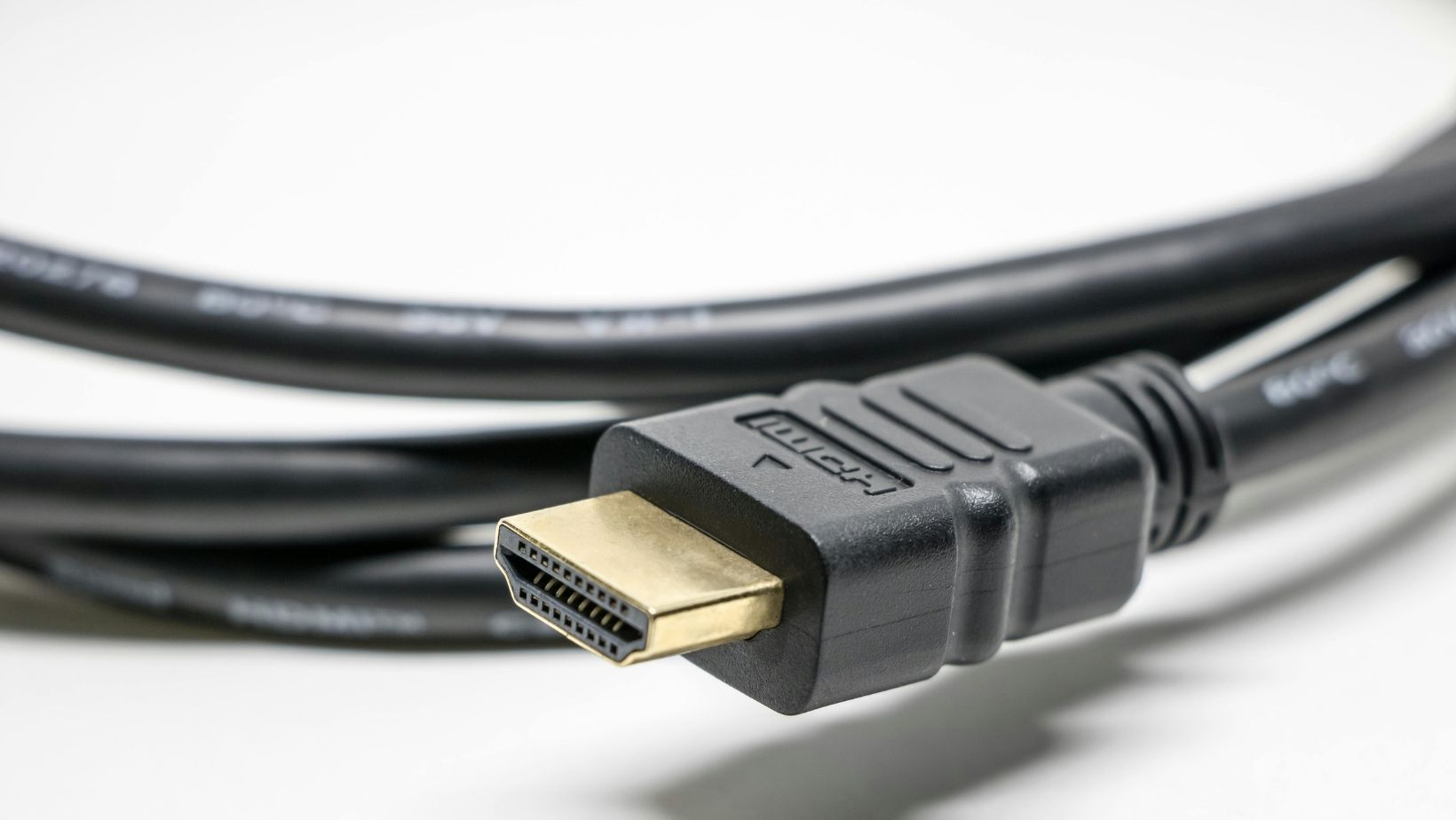
I am mildly skeptical of “premium” branding unless it points back to an actual certification program. The label matters more than the sales language. A clean, certified cable from a boring brand is often a better option than a flashy one with vague claims and no real proof.
Cable Length Changes the Risk
Length is where many perfectly reasonable setups start acting unreasonable. A short cable on a desk has an easier job than one running across a room to a wall-mounted TV or through a media cabinet full of other gear. More bandwidth and more distance together can expose weaknesses fast.
That does not mean longer HDMI runs are impossible. It means buyers should be more careful as the run gets longer. Certified cables help. So does resisting the urge to buy extra length “just in case.” If you need 6 feet, buy 6 feet or a little more, not 15. A cable that is much longer than the job demands gives you more opportunity for signal trouble and more cable to hide badly.
This also explains why some setups seem random. The same console and TV may work perfectly with a 2-meter cable and start acting flaky with a longer bargain cable. People often blame the display first. Sometimes the cable earned that blame.
Gaming Features Expose Weak Cables Fast
High refresh gaming is unforgiving. If you are trying to push 4K 120Hz with HDR and VRR, you are asking much more from the connection than you would for a basic movie setup. Weak cables tend to reveal themselves here through screen flicker, blackouts, mode switching failures, or missing options in the display menu.
VRR is a good example. It can make gameplay feel smoother by matching the display’s refresh rate to the console or PC output, but it also adds another demand to the chain. Sony says PS5 supports HDMI 2.1 and 4K 120Hz, and it supports VRR on compatible HDMI 2.1 displays. Microsoft says Xbox Series X supports 4K gaming at 120Hz with the right TV and settings. NVIDIA also points to HDMI 2.1 for 4K 120 gaming and higher-resolution VRR play on supported hardware. If your display and source both support those features but they still refuse to work together, the cable deserves suspicion very early in the troubleshooting process.
Audio can get dragged into this too. If you use eARC for a soundbar or receiver, cable quality matters there as well. A weak cable can turn what should be a simple living-room chain into a weird cycle of dropouts and handshakes.
Buy for the Setup You Have, Not the Setup You Imagine
The smartest HDMI purchase is usually less dramatic than buyers expect. Match the cable to the source, display, and refresh target you actually use. If you are playing at 1080p or 1440p on older gear, you may not need to chase the highest HDMI tier. If you own a PS5, Xbox Series X, or a newer gaming PC and want 4K 120Hz with VRR, then yes, spending on the right certified cable is justified.
Do not overspend on cosmetic features. Do not underspend on certification. That is the simplest rule here. Also, do not assume the cable in the box is always the one you should keep forever just because it came from a major brand. It may be fine. It may also be the first thing to swap if the system starts acting strangely.
A good HDMI cable is not exciting. That is part of the job. It disappears from your attention because the setup works the way it should. For gaming, that quiet reliability is the whole point.