Picture this: You’re hunched over your phone, thumbs flying, sweat beading on your forehead as you chase that last kill in Call of Duty Mobile. Suddenly, your battery dips to 2%, your hands cramp, and your Wi-Fi lags. If you’ve ever felt the sting of a lost match because your mobile gaming setup let you down, you’re not alone. The right mobile gaming setup can turn frustration into pure adrenaline—and maybe even bragging rights.
Table of Contents
ToggleWhy Your Mobile Gaming Setup Matters
Let’s be honest. Mobile gaming isn’t just a way to kill time in line at the grocery store anymore. It’s a full-blown passion, a social scene, and for some, a serious competition. Your mobile gaming setup is the difference between a smooth, immersive experience and a rage-quit moment. If you care about performance, comfort, and fun, your setup matters more than you think.
What Makes a Great Mobile Gaming Setup?
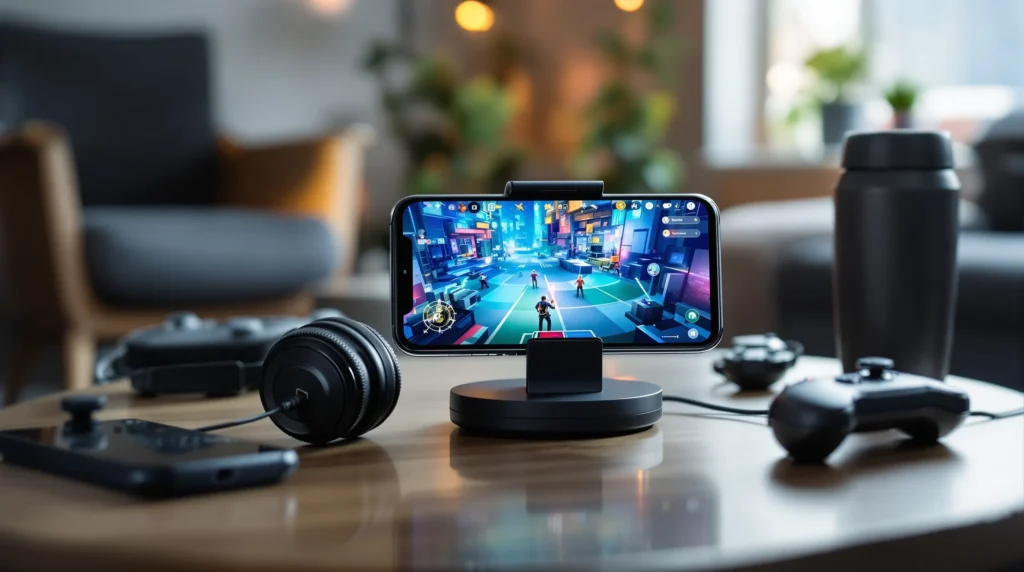
Here’s the part nobody tells you: It’s not about having the most expensive phone or the flashiest accessories. A killer mobile gaming setup is about balance—between power, comfort, and practicality. Let’s break it down.
1. The Right Device: Power Meets Portability
Your phone or tablet is the heart of your mobile gaming setup. If you’re serious about gaming, look for:
- High refresh rate screens (90Hz or 120Hz) for buttery-smooth visuals
- Fast processors like Snapdragon 8 Gen 2 or Apple A17 for zero lag
- At least 8GB RAM for multitasking and heavy games
- Big batteries (4500mAh or more) so you don’t panic mid-match
Don’t fall for hype. A mid-range phone with a good GPU can outplay a flagship with poor cooling. I once spent $1,000 on a phone that overheated after 20 minutes. Lesson learned: specs matter, but real-world performance matters more.
2. Accessories: Small Upgrades, Big Impact
If you’ve ever fumbled a shot because your fingers slipped, you know accessories aren’t just for show. Here’s what actually helps:
- Gaming triggers for shooters—clip-on buttons that give you console-like control
- Bluetooth controllers for platformers or racing games
- Phone grips or cases with textured backs to prevent drops
- Cooling fans if your device heats up during long sessions
- Screen protectors with matte finish to cut glare and sweat
Pro tip: Don’t buy everything at once. Start with one accessory that solves your biggest pain point. For me, it was a $15 pair of triggers. My K/D ratio shot up overnight.
3. Audio: Hear the Footsteps, Feel the Boom
Sound is half the game. If you’re using your phone’s built-in speakers, you’re missing out. Invest in:
- Wired earbuds for zero latency
- Wireless earbuds with low-latency mode (like the Razer Hammerhead True Wireless)
- Over-ear headphones for marathon sessions
Here’s why: Good audio lets you hear enemy footsteps, subtle cues, and immersive soundtracks. I once lost a match because I missed a faint reload sound. Never again.
4. Internet Connection: The Silent MVP
Lag kills. A strong, stable connection is the backbone of any mobile gaming setup. If you’re serious, use:
- 5GHz Wi-Fi for faster, more stable speeds
- Mobile data only if you have a strong signal (4 bars or more)
- Wi-Fi extenders if your router is far from your gaming spot
Quick story: I once played a tournament match in a hotel room with spotty Wi-Fi. I lost, not because of skill, but because my ping spiked at the worst moment. Don’t let that be you.
Building Your Perfect Mobile Gaming Setup: Step-by-Step
- Assess your needs. Are you a casual gamer or chasing leaderboard glory? Your mobile gaming setup should match your goals.
- Pick your device. Prioritize performance, battery, and comfort over brand hype.
- Add one accessory at a time. Start with what bugs you most—slippery grip, laggy controls, or poor sound.
- Test and tweak. Play a few sessions, then adjust. Maybe you need a different grip or a better charger.
- Keep it portable. If you game on the go, choose compact accessories and a sturdy carrying case.
Here’s the truth: No two mobile gaming setups are the same. What works for your friend might not work for you. Experiment, fail, and find your sweet spot.
Who Needs a Serious Mobile Gaming Setup?
If you play games like PUBG Mobile, Genshin Impact, or Mobile Legends for hours, you need a solid mobile gaming setup. If you only play Candy Crush on the bus, you probably don’t need triggers and cooling fans. This guide is for anyone who wants to level up their experience, avoid common mistakes, and get more joy out of every session.
Common Mistakes and How to Dodge Them
- Ignoring comfort: Hand cramps and eye strain are real. Use grips and blue light filters.
- Overloading on accessories: More isn’t always better. Only buy what you’ll actually use.
- Forgetting about battery life: Always keep a power bank handy. Nothing kills a streak like a dead phone.
- Neglecting updates: Keep your device and games updated for the best performance.
I’ve made every mistake on this list. The good news? Each one taught me something. The best mobile gaming setup is the one that fits your style, not someone else’s checklist.
Next Steps: Level Up Your Mobile Gaming Setup
If you’ve read this far, you care about your mobile gaming setup. Here’s what to do next:
- Pick one thing to upgrade—device, accessory, or connection
- Test it out for a week
- Notice what changes—your comfort, your scores, your fun
- Share your setup with friends and swap tips
Your mobile gaming setup isn’t just gear—it’s your ticket to better games, bigger wins, and more fun. Don’t settle for less. Build the setup that lets you play your best, wherever you are.